
(Search Engine Optimization) means improving and optimizing everything inside your web page or blog so that search engines (like Google) can understand your content better and show it higher in search results.
Another word we can say…….
on page seo is the process of optimizing a website content and structure to rank higher in search engine result page (SERPs) for specific keyword.
On-page SEO is the process of optimizing the content, structure, and HTML elements of a web page to make it more search-engine-friendly and user-friendly.
📋 Key Elements of On-Page SEO
| Element | Purpose |
|---|---|
| Title Tag | Tells Google what your page is about. |
| Meta Description | Encourages users to click on your result. |
| Headings (H1–H3) | Organizes content for readers and search engines. |
| Keywords | Helps match your page with search queries. |
| URL | Clean and includes your main keyword. |
| Images & Alt Text | Improves SEO and accessibility. |
| Internal Links | Helps Google understand your site structure. |
| Content Quality | Keeps visitors reading and builds trust. |
KEY ELEMENT OF ON-PAGE SEO..
|
Content quality and freshness.
|
Keyword
|
Heading & title tag
|
Meta tag
|
Image all tags
|
mobile\desktop friendly
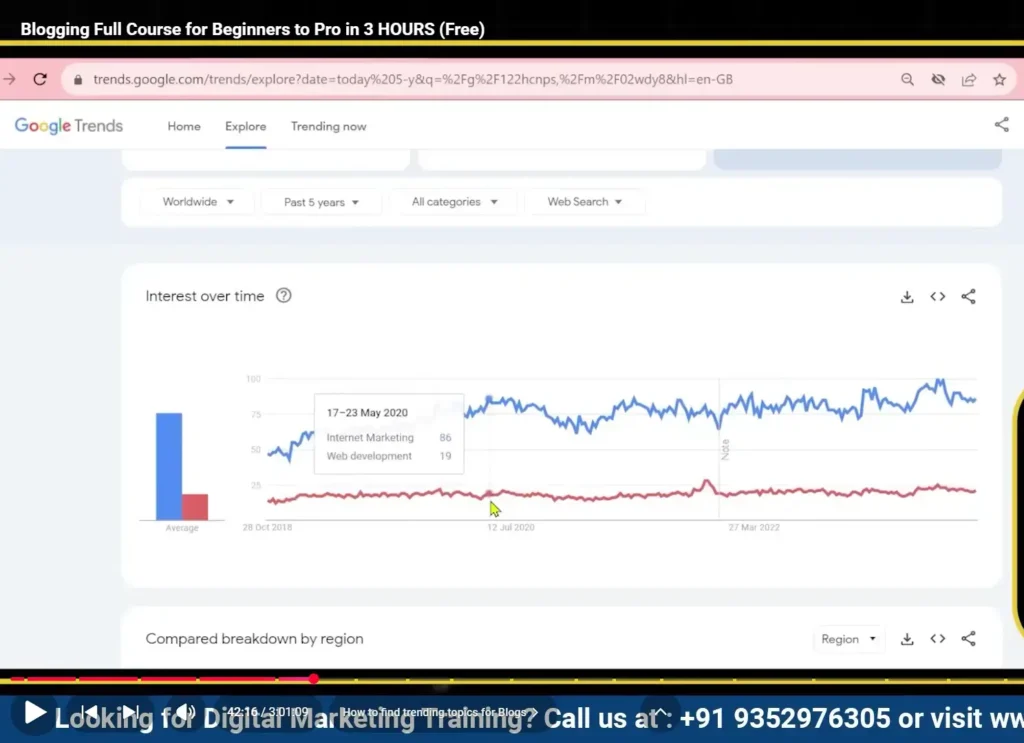
Main Uses of Google Trends
1. Find Trending Topics
See what people are searching for right now.
Example: If you type “marketing” — you’ll see when it becomes popular (mostly in October–November).
Useful for writing timely or seasonal blogs.
2. Compare Keywords
You can compare up to 5 keywords to see which one people search for more.
Example:
“Digital marketing” vs “Social media marketing”
You’ll see which keyword has more search interest.
3. Find Keywords by Region
You can check where people are searching most.
Example: “Cricket World Cup” might be searched more in India and Pakistan than in the USA.
Helps you target the right audience or country.
4. Identify Seasonal Trends
Some topics are popular only during certain months.
Example: “Fitness resolutions” peaks in January.
This helps you plan content calendars for your blog.
5. Content Ideas
Explore related topics and queries that people also search for.
Example: If you search “Yoga,” you might see related queries like “morning yoga routine” or “yoga for weight loss.”
These can inspire new blog post ideas.
6. Check Brand or Product Popularity
You can compare searches for brands or products.
Example: “iPhone 16” vs “Samsung Galaxy S24”
Useful for market research or affiliate blogs.
⚙️ Example Use Case for Bloggers
Let’s say you run a health blog.
You want to write about “Intermittent Fasting”, but you’re not sure if it’s trending.
You go to google trend
Type “Intermittent Fasting”
See if search interest is rising or falling
If it’s rising, great — it’s a good topic to write about right now.
Example’s:
Suppose you write a blog titled “Best Coffee Shops in Delhi”
To do on-page SEO,
you would:
Use the keyword “Best Coffee Shops in Delhi” in the title, URL, and first paragraph.
Write a meta description like:
“Discover the top 10 coffee shops in Delhi for cozy vibes and great brews.”
Add headings (H1, H2, H3) to organize content.
Add images with descriptive names (like
coffee-shop-delhi.jpg) and alt text.Add internal links to your other blogs (e.g., “Best Cafes in Mumbai”).Make sure your page loads fast and looks good on mobile.
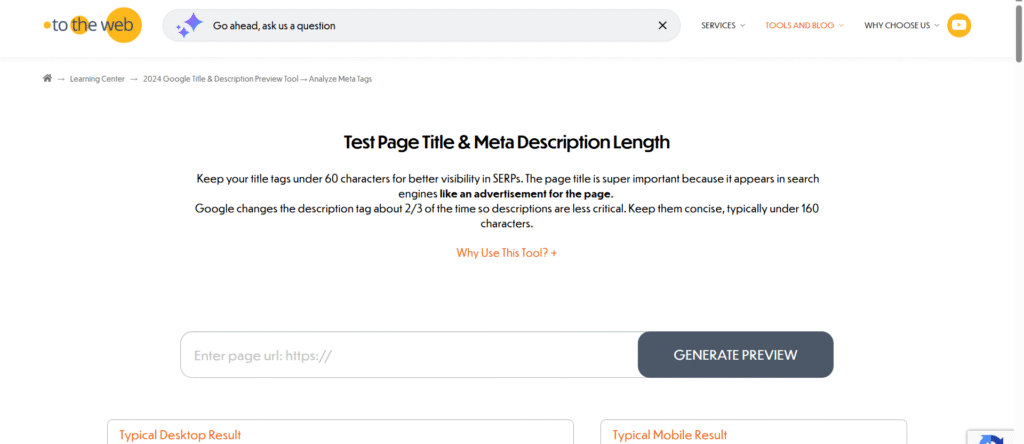
1. Title Tag (SEO Title)
The most important part. It appears in Google search results.
Use your main keyword naturally.
Keep it under 60 characters.
Example:
✅ 10 Easy Yoga Poses for Beginners – Stay Fit at Home
2. Meta Description
A short 150–160 character summary that appears below your title in search results.
It doesn’t directly affect ranking, but it increases clicks.
Example:
Learn 10 beginner-friendly yoga poses that improve flexibility, balance, and calmness.
3. URL (Permalink)
Should be clean, short, and include your keyword.
Avoid symbols or long numbers.
Example:
❌ yourblog.com/post000?id=001
✅ yourblog.com/yoga-poses-for-beginners
4. Headings (H1–H6)
Use one H1 tag (main title of your post).
Use H2 and H3 for subtopics and small sections.
It helps readers and Google understand structure.
Example:
H1: 10 Easy Yoga Poses for Beginners
H2: Benefits of Yoga
H3: Mental Health Benefits
5. Keyword Optimization
Find what people are searching for (using tools like Google Keyword Planner or Ubersuggest).
Use your main keyword in:
Title
First paragraph
Some headings
A few times in your content (naturally)
⚠️ Don’t overuse — this is called keyword stuffing and hurts ranking.
6. High-Quality Content
Google ranks blogs that are:
Original (not copied)
Helpful (answers user questions)
Well-structured (short paragraphs, bullet points, lists)
Updated regularly
Remember: Write for humans first, search engines second.
7. Images and Alt Text
Add images or graphics to make your post more engaging.
Use descriptive file names:
yoga-pose-downward-dog.jpgAdd alt text like: “woman doing downward dog yoga pose”
→ Helps Google understand what’s in the image.
8. Internal Links
Link to other relevant pages on your site.
Example: “Also read: [Best Yoga Mats for Beginners].”
Helps Google crawl your website easily and keeps readers exploring.
9. External Links
Link to trusted websites (like Wikipedia or official studies).
It shows you’ve done research and adds credibility.
10. Mobile-Friendly Design
Most users browse on mobile.
Google uses mobile-first indexing — it checks your site’s mobile version first.
You can test your site using google mobile frienldy test.
11. Page Speed
Slow websites hurt SEO.
Use compressed images and caching tools.
Test on google pagespeed insights.
12. Schema Markup (Optional but Advanced)
It’s special code that helps Google show rich snippets — like star ratings, FAQs, or recipes.
Example: Showing a “4.8⭐ rating” directly in search results.